

What Is Trading Software for Brokers?
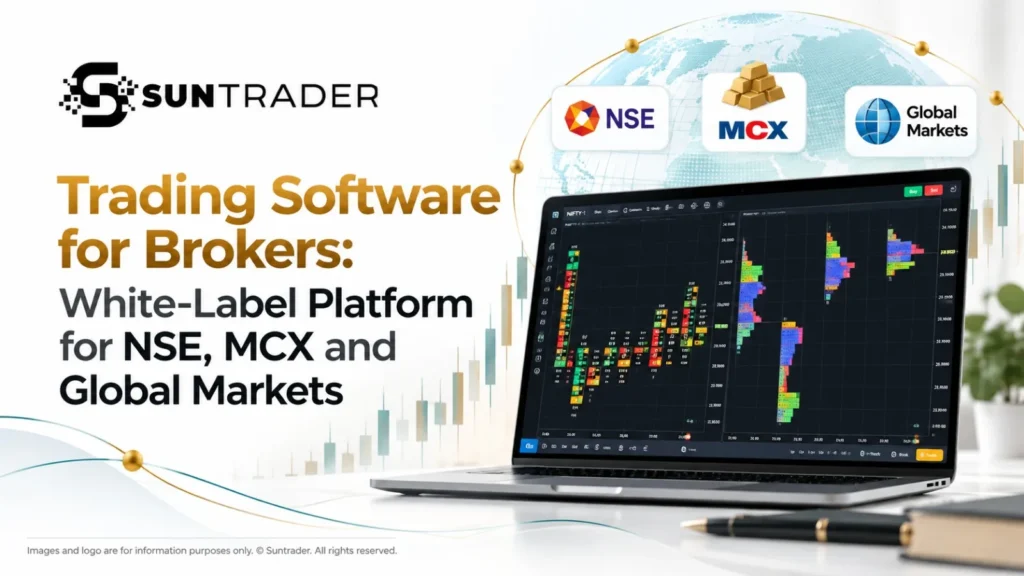
Trading software for brokers is a platform that lets a brokerage offer market access, order execution, charting, client management and risk controls under its own brand. A complete system covers the client trading app, the back office and CRM, risk and surveillance, and reporting. Sun Trader is a white-label trading software suite for brokers, with web and mobile apps, a built-in CRM, risk surveillance, an option chain and access to NSE, MCX, forex, crypto and US stocks.
Ready to compare options? Request a walkthrough with your own market and client mix. [Book a demo]
Four Layers of Trading Software for Brokers
Many brokers begin by looking only at the trading screen. A workable system needs four layers.
| Layer | What it does | What breaks without it |
|---|---|---|
| Client trading app | Orders, charts, watchlists, positions | Clients leave for a better app |
| Back office and CRM | Onboarding, KYC, funding, account management | Manual work grows with every client |
| Risk and surveillance | Limits, margin rules, abuse detection | Exposure and abuse go unnoticed |
| Reporting and administration | Statements, audit trails, activity logs | Compliance reviews take longer than they should |
Buying only the front-end app usually means stitching together separate tools for the other three layers. Each integration adds cost, support load and a point of failure.
Who Trading Software for Brokers Is For
| Business type | Typical need | What to prioritise |
|---|---|---|
| New broker | Launch quickly with a brand | White-label depth, CRM, clear launch plan |
| Established broker | Replace an ageing terminal | Migration support, feature parity, client retention |
| B2B partner or introducing broker | Offer trading to its own clients | Sub-account and branding controls |
| Retail-focused broker | Serve traders through web and mobile | Mobile experience, charting, onboarding speed |
Features
| Feature | Broker benefit | Trader benefit |
|---|---|---|
| White-label web app | Brand the platform as your own | Familiar, branded experience |
| Mobile trading app | Serve clients on the move | Manage positions from a phone |
| Built-in broker CRM | Manage onboarding and accounts | Faster account setup |
| Option chain | Offer strike-level options analysis | Plan option strategies |
| Risk management | Apply limits and monitoring | Clearer exposure control |
| Surveillance | Detect manipulation and scalping patterns | Fairer conditions |
| Multi-currency support | Serve clients in several currencies | Trade and view P&L in a preferred currency |
| Multi-market watch | Track several markets on one screen | One view of all instruments |
Feature availability can vary by plan and configuration. Confirm the exact set during your demo.
Also check: Online White Label Broker: How to Choose a Platform | SunTrader
Markets Covered
| Market | Instruments | Availability note |
|---|---|---|
| NSE (India) | Equities, futures, options | Depends on your exchange access |
| MCX (India) | Commodity futures and options | Depends on your exchange access |
| Forex | Currency pairs | Depends on your liquidity provider |
| Crypto | Major digital assets | Depends on your configuration |
| US stocks | US-listed equities | Depends on your configuration |
Build In-House, Licence or White-Label?
Three routes are common. Each suits a different stage of business.
| Factor | Build in-house | Licence a standard platform | White-label trading software |
|---|---|---|---|
| Time to market | Longest | Moderate | Usually faster, depending on scope |
| Upfront investment | Highest | Moderate | Typically lower |
| Branding control | Full | Limited | Full |
| Feature depth | Built from zero | Pre-set by vendor | Pre-built modules, configurable |
| Ongoing maintenance | Your team | Vendor | Shared under the agreed SLA |
| Customisation | Unlimited | Limited | Configurable within vendor scope |
White-label suits most brokers that want branding control without the cost of building. Confirm what counts as configuration and what counts as custom development in your contract.
Pricing Models Explained
Vendors price trading software in different ways. Compare them on the same basis.
| Model | How it works | Watch for |
|---|---|---|
| Setup fee plus monthly licence | Fixed upfront cost, recurring fee | Integration and migration charges not in the quote |
| Per-client or per-account fee | Cost scales with active accounts | Minimum fees and how “active” is defined |
| Revenue share | Vendor takes a percentage of broker revenue | Definition of revenue and reporting access |
| Tiered plans | Fixed price for a feature band | Features locked behind higher tiers |
Ask every vendor for a total cost estimate for your first 12 months, including setup, integration, support and any per-client charges. Compare totals, not monthly headline prices.
Read More: Understanding White Label Products: How They Work for Businesses
Worked Example: Setting Risk Limits
This example is illustrative. Your limits depend on your licence, clients and risk policy.
A broker wants to limit exposure for clients trading index futures and options.
- Set an account-level limit. For example, a maximum total margin use per account.
- Set an instrument-level limit. For example, a maximum open lot size per index contract.
- Set a surveillance threshold. For example, an alert when order cancellation rates rise sharply in a short window.
- Review alerts daily. Trained staff check flagged accounts before any action is taken.
- Document the policy. Record the limits and review process for compliance audits.
The point of the example is the process: limits are set by the broker, applied by the system, and reviewed by people.
Implementation Timeline
- Discovery: Define markets, client types, branding and integrations.
- Configuration: Set up branding, account types, CRM workflows and risk rules.
- Integration: Connect market data, liquidity and payment systems.
- Testing: Run user acceptance testing with operations and compliance teams.
- Launch: Release web and mobile apps to clients, then review activity in the first 30 days.
Sun Trader‘s homepage markets a one-week go-live. Confirm the timeline for your scope, because integrations and testing drive the schedule.
Risk Management and Surveillance
- Automated monitoring: Tracks trading activity against defined limits.
- Manipulation detection: Flags patterns associated with price manipulation.
- Scalping detection: Identifies high-frequency patterns that may breach broker policy.
- Audit trail: Records activity to support compliance reviews.
Alerts should be reviewed by trained staff before any action is taken.
Readiness Check
Score each statement from 0 to 2: 0 = no, 1 = partly, 2 = yes. Add your total.
| Serial No. | Statement | Score |
|---|---|---|
| 1 | We know which markets our clients will trade. | 0 / 1 / 2 |
| 2 | We have the exchange or liquidity access these markets require. | 0 / 1 / 2 |
| 3 | We have a defined onboarding and KYC process. | 0 / 1 / 2 |
| 4 | We have written risk limits and an alert review process. | 0 / 1 / 2 |
| 5 | We have a budget covering setup, licence and integration. | 0 / 1 / 2 |
| 6 | We have a target launch date and an owner for each stage. | 0 / 1 / 2 |
| 7 | We know how we will migrate or onboard existing clients. | 0 / 1 / 2 |
| 8 | We have compliance input on client disclosures. | 0 / 1 / 2 |
Results
- 12 to 16: You are ready to request vendor proposals.
- 6 to 11: Close the gaps first. Start with the lowest-scoring statements.
- 0 to 5: Work through the implementation timeline above before comparing vendors.
Frequently Asked Questions
What is trading software for brokers?
It is a platform that lets a brokerage offer trading, client management, charting and risk controls to its clients under its own brand.
What is white-label trading software?
White-label trading software is built by one company and branded by the broker, so clients see the broker’s name, logo and colours.
Which markets does Sun Trader support?
Sun Trader covers NSE and MCX in India, plus forex, crypto and US stocks. Availability depends on your exchange access, licences and liquidity arrangements.
Does the software include a CRM?
Yes. A built-in broker CRM handles client onboarding, account management and back-office tasks.
Can I use my own brand?
Yes. The web and mobile apps support white-label branding.
How much does trading software for brokers cost?
Pricing varies by scope, markets, users and support level. Pricing models include setup plus licence, per-client fees, revenue share and tiered plans. Request a 12-month cost estimate.
How long does it take to launch?
The vendor markets a fast go-live. The actual timeline depends on scope, integrations and testing.
Does it support multi-currency accounts?
Yes. Clients can trade and view P&L in more than one currency, subject to account configuration.
How does risk management work?
Limits and surveillance tools monitor activity and flag patterns such as manipulation and scalping. Trained staff review alerts.
Can it integrate with existing systems?
Integration options depend on your setup. Ask the vendor for API documentation and an integration plan.
Is it suitable for a new broker?
Yes, if the vendor offers white-label branding, a CRM and a clear launch plan. Start with a focused market list and expand.
Should I build, licence or white-label?
Build if you need unique functionality and have the budget. Licence if standard features suffice. White-label suits most brokers that want branding control without building from scratch.
What should I ask a vendor before signing?
Ask for a 12-month cost estimate, the exact feature list for your plan, the integration scope, the SLA, the support hours, and references from live clients.
Glossary
- Trading software for brokers: Brokerage-grade platform covering trading, client management and risk.
- White-label: Software built by one company and branded by another.
- Broker CRM: Software that manages client records, onboarding and account communication.
- Option chain: Table of call and put options by strike price and expiry.
- Trading terminal: Interface where clients view markets and place orders.
- Market surveillance: Monitoring of trading activity to detect manipulation or policy breaches.
- SLA: Service level agreement, the commitments a vendor makes on uptime and support.
- MCX: Multi Commodity Exchange of India.
- NSE: National Stock Exchange of India.
- KYC: Know Your Customer, the process of verifying client identity.
Related Reading
- Multi Asset Trading Platform: The Complete Guide (/multi-asset-trading-platform/)
- White-Label Trading Platform for Brokers (/white-label-trading-platform-for-brokers/)
- Broker Blog (https://suntrader.site/blogs/)
Risk Disclaimer
Trading in equities, derivatives, commodities, forex and cryptocurrencies involves significant risk and may not be suitable for all investors. Leveraged products can result in losses greater than the initial deposit. Sun Trader is a software provider. Brokers are responsible for their own regulatory compliance, licensing and client disclosures.
