

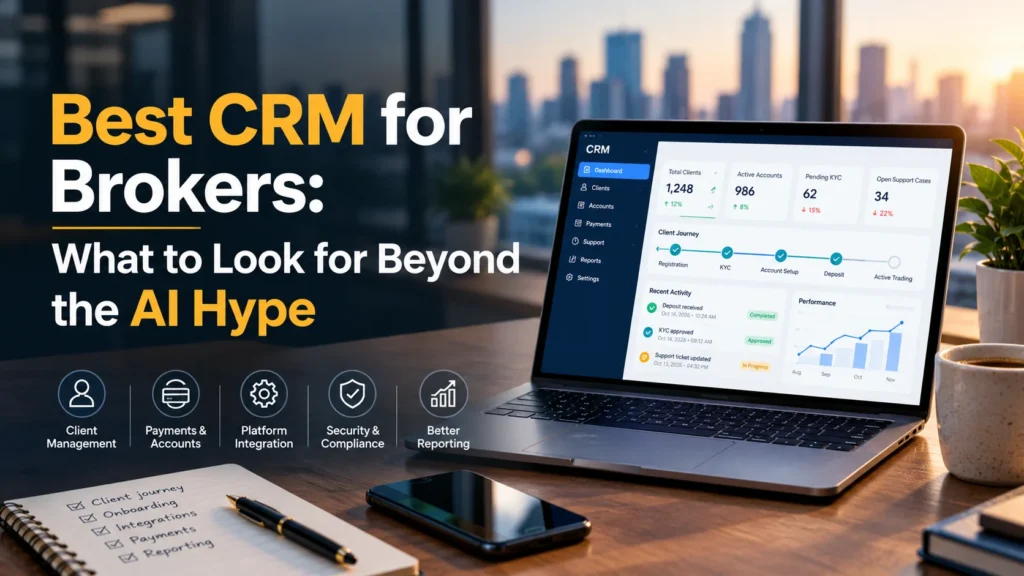
A client shouldn’t need three follow-up calls to find out what happened to a deposit. Yet when account details, payment updates and support conversations sit in separate systems, a simple question can become an afternoon’s work.
Choosing the best CRM for brokers starts with that everyday friction. Can your team see what happened, who owns the next step and what the client needs to do?
AI may help. But before paying for an assistant that writes emails, make sure the system can give your staff an accurate account history.
What to look for in the best crm for brokers?
A brokerage CRM should bring client onboarding, account information, payment status, sales activity and support history into a usable workflow. Prioritise reliable trading platform integration, clear permissions, traceable changes and accessible reporting. Evaluate AI features by the work they improve and the oversight they require.
What the Salesforce AI story means for brokers
As CNBC recently reported, Salesforce shares rose 18% after its quarterly results and highlights a $2.6 billion strategic investment gain linked to Anthropic.
Salesforce’s own August 2026 earnings release confirms 11% year-over-year revenue growth and Agentforce annual recurring revenue above $1.5 billion. It also notes that the Agentforce measure now includes additional AI offerings, including Slackbot and Headless 360.
Those details matter. Investment gains, software revenue and customer outcomes measure different things. None tells a brokerage how quickly its staff can resolve a funding query.
The useful takeaway is to examine AI claims as carefully as any other purchasing claim: what does the feature do, what information does it use, and can you measure the benefit?
Seven things to check before choosing brokerage CRM software
1. Can staff follow the full client journey?
Start with a routine case. Someone registers, submits identity documents, opens an account and makes a deposit. Later, they contact support.
Ask the provider to show how staff follow that sequence. Can they see the current status, previous messages and outstanding tasks without asking another department for screenshots?
For broker client management, a contact record is only the beginning. Look for clear task ownership, useful search and a timeline that makes sense to someone handling the account for the first time.
2. Does onboarding make exceptions easy to resolve?
A smooth demonstration usually follows a perfect application. Real applications contain missing documents, mismatched details and unanswered requests.
Ask how the CRM handles those cases:
- Who receives the incomplete application?
- Can staff explain why a document needs replacing?
- Does the client receive a clear next step?
- Can a manager see applications waiting too long?
Client onboarding software should help staff resolve delays. A dashboard showing hundreds of pending accounts is much less useful if nobody knows which ones need attention first.
Where KYC services are involved, confirm the actual provider connection and approval workflow. An available API is different from a configured integration.
Also check – Online White Label Broker: How to Choose a Platform | SunTrader
3. How well does it connect with your trading platform?
When comparing the best CRM for brokers, spend time on trading platform integration. Ask which records move between systems, how often they update and what happens when a connection fails.
A useful test is a payment update. If the external system shows a completed transaction, when does that status appear in the CRM? What happens if the same update arrives twice?
Request a demonstration using the platforms and payment services your business intends to use. “We support integrations” leaves too many questions unanswered.
For a forex CRM or multi-asset brokerage CRM, also check how the system distinguishes multiple accounts and currencies belonging to one client.
4. Can you trace payments and account changes?
Deposit and withdrawal monitoring should help staff explain a transaction’s progress. Ask whether they can see its reference, currency, status, timestamps and relevant account.
Also test the permissions around sensitive changes. Which users can amend account details, approve requests or export information? Is there a record of who changed what?
CRM records can support your internal controls, but software alone does not establish regulatory compliance. Your compliance team should assess the configuration against the requirements that apply to your business.
5. Do reports explain where work gets stuck?
Lead totals and account registrations tell only part of the story.
Ask for reports that help you investigate practical problems:
- Where do applicants abandon onboarding?
- How long do unresolved support cases stay open?
- Which lead sources produce approved, funded accounts?
- How many payment queries need a second contact?
Keep the definitions consistent. A registered user, an approved account and a funded client should remain distinct measures.
Good reporting gives managers a place to intervene. It should also allow you to export the underlying data and check the numbers.
6. Are access controls practical for each team?
Sales, support, finance and dealing teams have different responsibilities. Their access should reflect those responsibilities.
During the demonstration, switch between user roles. Check which client records, documents and actions each role can access. Ask about authentication, backups, data retention and incident handling.
If AI accesses client information, extend those questions to the AI provider. What data leaves the platform? How long is it retained? Which permissions apply to generated responses and automated actions?
Get documented answers before connecting sensitive workflows.
7. What will implementation and ongoing use really cost?
The subscription price is only one part of the budget.
Request a written breakdown covering migration, integrations, configuration, staff training, support and any usage-based AI charges. Include the cost of exporting your data when the contract ends.
A fast launch can be valuable, provided everyone agrees on what “live” means. A branded interface, imported client records and tested payment connections are separate milestones.
Ask for an implementation plan with responsibilities and acceptance checks for each one.
Where AI can earn its place
AI deserves a fair test. Drafting a response, summarising a long support conversation or suggesting a ticket category may save time when staff can verify the result.
Start with one task and establish a baseline. Measure handling time, correction rates and repeat contacts before and during a pilot. Include the time people spend checking the AI’s work.
Keep consequential actions behind appropriate approval controls. A fluent explanation of a withdrawal delay is useful only if it reflects the transaction’s actual status.
The best CRM for brokers should remain useful when AI features are switched off. Its client records, permissions and workflows need to work on their own.
How Suntrade fits these evaluation criteria
Suntrade describes an offering that combines a web-based trading application, integrated broker tools and a dedicated CRM/back office. Its published CRM functions include onboarding, account management, deposit and withdrawal monitoring, lead tracking, and sales and support management.
Other advertised features include custom branding, configurable CRM workflows, multi-currency trading, risk controls and APIs for payment gateways, liquidity providers and KYC providers. Suntrade also promotes a one-week go-live and 24/7 support.
For a brokerage considering a connected trading and client-management setup, those features provide a useful starting point for a demonstration. Confirm integration availability, deployment scope, and support commitments for your specific requirements before signing.
A practical CRM demo checklist
Give each shortlisted provider the same scenario and record what happens.
| Test | What to check |
| Register a client with a missing document | Clear status, assigned owner and follow-up process |
| Trace a pending deposit | Payment reference, latest status and escalation route |
| Open the account as a support agent | Relevant history and appropriate access restrictions |
| Interrupt an integration | Visible failure, recovery process and duplicate handling |
| Generate a conversion report | Separate registration, approval and funding stages |
| Export a sample client record | Usable data, including relevant history |
| Disable AI assistance | Core workflows continue to function |
Score the results against your own priorities. Require important capabilities to be demonstrated or documented before treating them as available.
Frequently asked questions
What makes a CRM suitable for a brokerage?
The best fit depends on your markets, account structure, integrations and team. Prioritise client lifecycle visibility, dependable data connections, access controls, reporting and support. Compare providers through the same realistic workflows rather than feature counts alone.
Is a general-purpose CRM suitable for a brokerage?
It can be, provided the required integrations and brokerage workflows can be configured and maintained. Compare that implementation effort with a dedicated broker CRM and back office, including the cost of future changes.
Do brokers need AI in their CRM?
AI is optional. It may help with drafting, summaries and routine classification, but its value depends on accuracy, permissions and measurable time savings. Reliable account information and clear processes should come first.
Does Suntrade provide an integrated CRM?
Suntrade lists an integrated CRM and back office on its website. Ask its team to demonstrate your required workflows and confirm what is included in the proposed package. [2]
Choose around the work your team actually does
Selecting the best CRM for brokers means checking how a system handles an ordinary working day: incomplete applications, payment questions, account updates and support handovers.
Start with those tasks. Test the awkward cases. Then decide whether the AI features add enough value to justify their cost.
Read more – Top Trading Platforms for Brokers: Questions to Ask Before Booking a Demo
